
The hotline is currently not manned. You can reach us again on Saturday, 10.10.2026 at 09:30.

Easy Sound Recording!
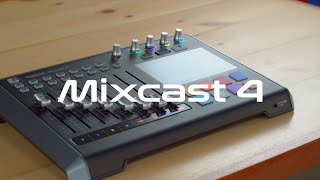
With Mixcast 4, creating professional content is a breeze. Whether producing podcasts, live streaming, event production, or dubbing, Mixcast 4 can mix and record incoming microphone signals with other sounds. These include internally stored background music triggered via its pads, effect sounds and jingles, or external audio from your phone, PC, or Bluetooth device.
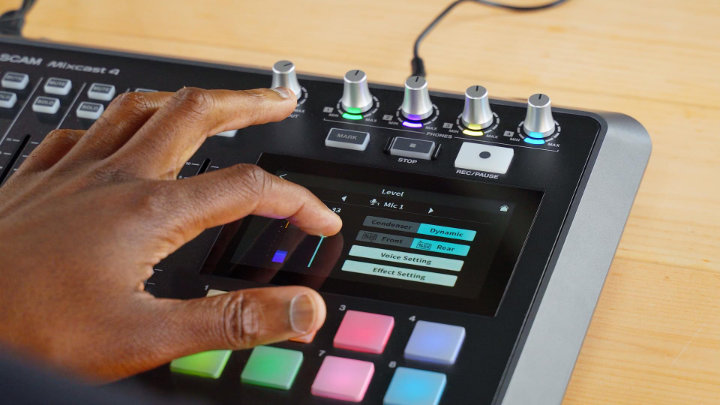
Stress-Free Touchscreen Control
Equipped with four microphone inputs and four separate headphone outputs, the Mixcast 4 is always ready for podcast production—without complicated settings. It handles all audio processes and workflows needed for live streaming, events, podcasts, and other applications. For a perfect mix, the Auto-Mixer function can automatically set levels to optimal values and assign microphone priority.
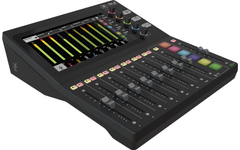
Thanks to the 12.7 cm color touchscreen, you can intuitively navigate the well-structured menu and make desired adjustments in just a few steps.
A Complete Workstation With All the Features You Need
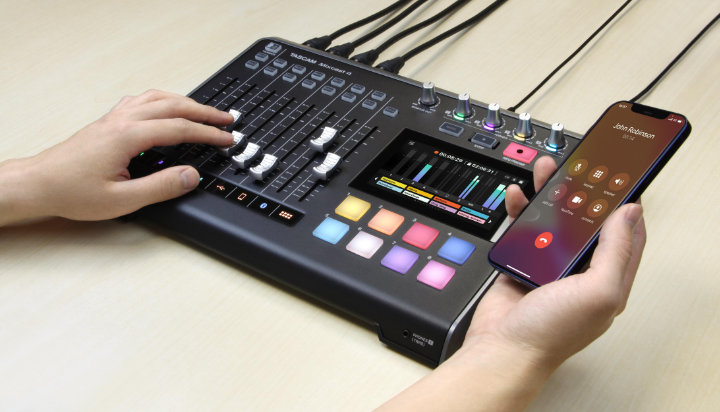
From audio recording to mixing previously recorded material, the Mixcast 4 offers a full production environment with many practical features like 14-track recording to SD card, Bluetooth audio input, and an aux input for easy mixing and recording of phone calls (with mix-minus) or other sound sources. You can also mix in audio from a computer via a simple USB connection.
Or simply use the Mixcast 4 as a USB audio interface with your preferred DAW software.
Spice Up Content With Real-Time Sound Effects
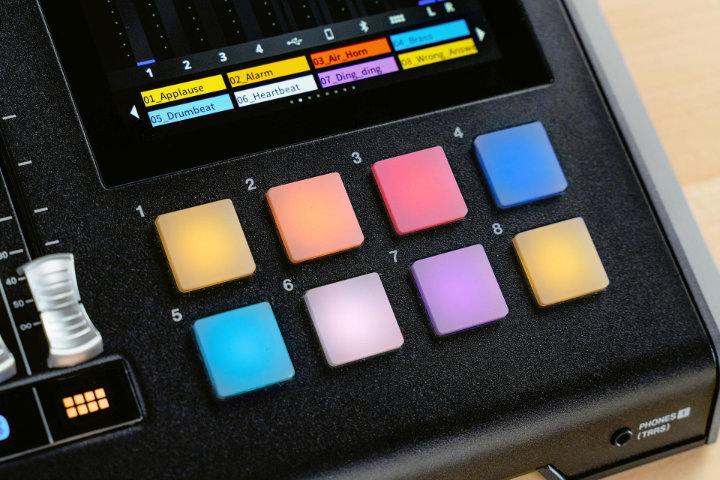
The Mixcast 4 includes eight banks of fully customizable, illuminated sound pads that let you trigger sound events during podcast production or live broadcasts. Besides preset sound effects, you can flexibly assign new sounds, music, or even recordings you made on the device via microphone.
The Mixcast 4 sound pads also enable simple, time-accurate voice effects like pitch shifting, reverb, and others to make live streams and recordings even more engaging and entertaining.
Tascam Podcast Editor for Post-Production and Control
With the handy and easy-to-use Tascam Podcast Editor, you can edit audio content, arm tracks, and assign and configure sound effects and background music to the sound pads.
No expert DAW knowledge is required, as the podcast editor’s intuitive graphics allow any user to easily record audio with the Mixcast 4. The Tascam Podcast Editor was specially developed for Mixcast 4 and is available for both computers and mobile devices.
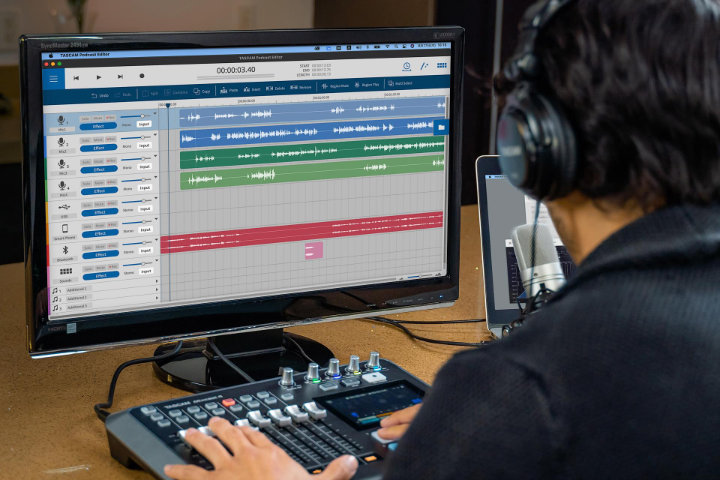
Together with the Tascam Podcast Editor software, you get a complete package including waveform editing and multitrack recording for every step from pre-production to finalization!
Features
- Produce podcasts with up to four people: 4 microphone inputs, 4 headphone outputs
- Invite guests and friends: Mix-minus to integrate calls with echo-free sound via Bluetooth®, USB input, or 4-pole TRRS audio cable
- Sound pads for quick playback of sounds and effects
- Simple and intuitive control via a 5-inch touchscreen
- Dedicated Tascam Podcast Editor with waveform editing to cover the entire workflow
- Records up to 14 tracks directly to an SD card (12 tracks + stereo mix)
- USB audio interface with 14 inputs and two outputs
- Multilingual: English, French, German, Italian, Spanish, Russian, Chinese, Japanese, and Korean
Hardware
- Four microphone inputs via balanced XLR/TRS combo jacks
- Four headphone outputs with separate volume controls
- Headset input/output via 3.5 mm TRRS mini jack (mirrors signal from headphone output 1)
- Stereo line input, selectable between two balanced jack connectors and one TRRS mini jack
- Balanced stereo monitor output via two 3-pin jack connectors
- Stereo line output via 3.5 mm stereo mini jack
- Eight sound pad buttons
- Trigger effect sounds, jingles, background music, or other audio material at the press of a button
- Eight sound sets for a total of up to 64 sounds
- Quick switching between the eight sound sets via touchscreen
- One sound set included (can be loaded onto the device with the podcast editor) - Eight long channel faders to mix levels of
- four microphone signals
- one stereo signal via USB
- one stereo signal from a mobile device
- one stereo signal via Bluetooth®
- sounds played via the pads - Mute and cue buttons on each channel (pad sounds: cue only)
- Talkback function for announcements to podcast participants
- Markers to tag specific events or podcast phases during recording for later editing
- Power supply via low-noise 12-volt DC (power adapter with locking plug included)
Software Settings and Processing
- Microphone channels:
- Choice between condenser (with 48 V phantom power) and dynamic
- Simple sound settings (bass, mid, clear) or manual settings (semi-parametric two-band EQ), switchable on/off
- Simple compressor settings (soft, hard) or manual setting with five parameters, switchable on/off
- De-esser (three parameters) and noise reduction (five parameters)
- Reverb effect (only one microphone channel) with simple settings (small, medium, large) or manual setting (five room types, three parameters), switchable on/off - USB, smartphone, and Bluetooth® stereo channels:
- De-esser (three parameters) and noise reduction (five parameters)
- Simple sound enhancement settings (speech, music, off) - Function to play back, check, rename, or delete recorded audio files
- Sound pads:
- Choose between six different playback methods for pad sounds
- Record pad sounds - Audio settings:
- USB mix-minus on/off
- Feedback suppression on/off
- Line level output on/off
- Cue before/after fader - Display brightness, auto power off
- Adjustable delay for USB output signal to compensate for latency between device audio and computer video playback (0–2000 ms)
- SD cards can be erased (quick or full) and used as mass storage devices via USB
- Free app: TASCAM Podcast Editor to cover the entire workflow
- Load audio files into Mixcast 4 for use with sound pads
- Load recorded podcasts from Mixcast 4 for editing or archiving
- Create multitrack recordings with your computer or mobile device
Supported Operating Systems
- Windows: Windows 11, Windows 10 (May 2021, version 21H1)
- Mac: macOS Big Sur (11.0), macOS Catalina (10.15)
- iOS: iOS 14 / iPadOS 14, iOS 13 / iPadOS 13
Scope of delivery
- 1 x Tascam Mixcast 4 mixer
Specification
- Product number 00078808
- Inputs 3.5mm Stereo-Klinke, 6.3mm Klinke, Bluetooth, USB, XLR
- Labelable channel strip No
- Number of microphone inputs 4
- WiFi No
- Colour Black
- Outputs 3.5mm Stereo-Klinke, 6.3mm Klinke, USB
- Expansion Slot No

Write the first review
Share your experience and help others with their purchase decision. Review the product directly from the order history in your customer account.
Review nowQuestions about product
Question by Gert Stehlig on 05.02.2022
Does Mixcast 4 also work with Windows 7 ?
Greetings Gert
Answer by Musikhaus Kirstein:
The Mixcast requires Windows 10 (May 2021, version 21H1) or higher.
Financing with ConsorsFinanz
You can finance your order in convenient monthly installments from a value of €100.00.
- 6 to 72 months term
- 0% financing for 34,83 € per month
easyCredit instalment purchase
You can pay the purchase amount conveniently in installments. You will see immediately whether your application has been approved.
- 2 to 60 months term
- Financing from 20,00 € / month