
The hotline is currently not manned. You can reach us again on Saturday, 10.10.2026 at 09:30.

Design Meets Intuition!
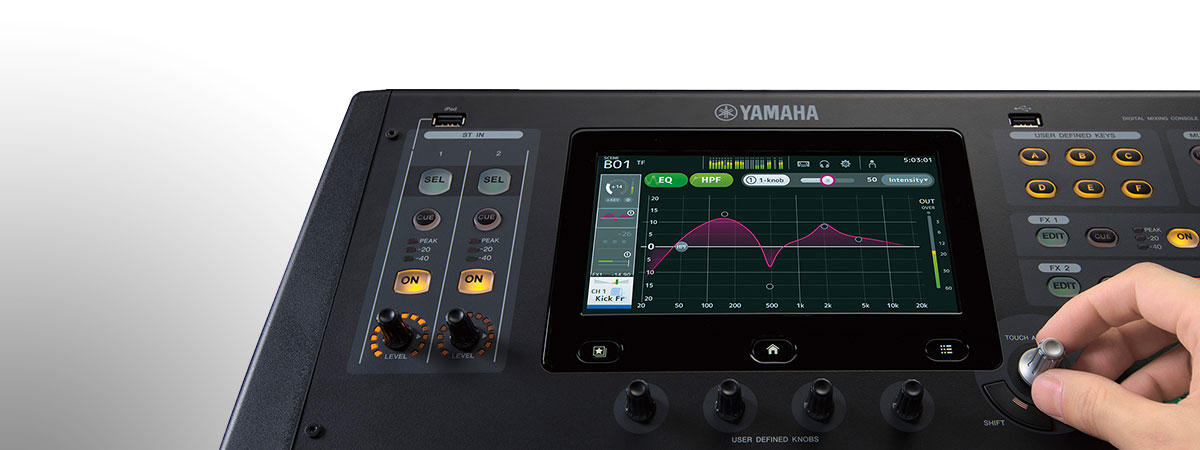
Intuitive user interface, optimized for touch-panel control
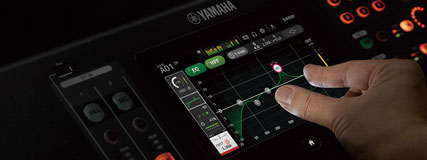
When Yamaha's engineers started developing the TF series, they first examined the already highly optimized interfaces of existing "pro" consoles and focused especially on touch-panel operation, which has proven itself in countless situations. Since most operations can be accomplished exclusively with the touch panel, the interface will quickly become second nature to most users. It doesn't matter whether you already have experience with Yamaha digital consoles, have worked on other digital or analog desks, or are a complete newcomer: the TF consoles guide you quickly and effortlessly to the desired result thanks to a smooth and efficient workflow. And because the screen is also surrounded by physical, "real" controls, operation becomes even more precise and easier.
Touch Control for Familiar Console Operation

The TF user interface has been perfectly optimized for precise touch-panel operation and delivers such a smooth workflow that every mix in any environment will benefit. The screen contents are designed for direct, targeted access, and the layout of elements supports mixing in an intuitive way. With the touch panel it feels like you can shape your desired sound with the tips of your fingers.
Instant Control Thanks to "Touch & Turn" Knobs
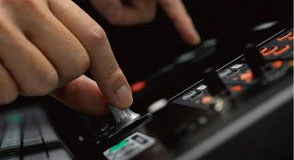 If you want to fine-tune an EQ parameter, the physical "Touch & Turn" knob is ideal — always immediately available alongside the touch panel. In addition, there are four user-definable knobs that you can assign to other parameters you need fast access to, such as compressor threshold or EQ gain. The knobs always affect the currently selected channel.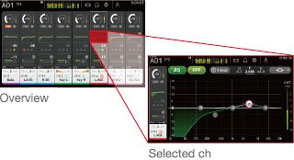
Proven "Overview" and "Selected Channel" Views
As with the CL series consoles, the "Overview" and "Selected Channel" views form the pillars of operation. The "Overview" display shows parameters for eight channels at once, while the "Touch & Turn" knob gives direct access to parameters like Gain, 1-Knob EQ, 1-Knob COMP, Gate Threshold, Effect Send Level, pan and other common mixer settings. Tap a highlighted parameter a second time to open the "Selected Channel" view, where you get more detailed access to the channel parameters.
New Features for Effortless, Accelerated Setup
 Properly setting levels, EQs and compressors requires experience and deep know-how. Even seasoned sound engineers need a lot of time for basic adjustments. In addition to the intuitive UI, the TF consoles offer many features that simplify and speed up the setup of these essential base parameters.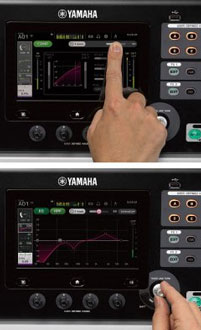
Get to the Ideal Sound in No Time: "1-Knob COMP" & "1-Knob EQ"
An experienced engineer can do a lot with a compressor: breathe life into a guitar, give a bass more punch, tighten a snare or push vocals forward. The "1-Knob COMP" makes all that quick and easy without juggling multiple confusing parameters until the sound is right. The "1-Knob COMP" was first introduced on Yamaha analog mixers and proved to be a valuable, popular feature. In the digital version the compressor was refined further, making the TF consoles quick and time-efficient to set up. The same concept was applied to the "1-Knob EQ", which allows simple adjustment with a single control. Yamaha's development team, together with selected engineers, tuned the 1-Knob EQ so you can achieve great results with minimal effort. The "Vocal" mode helps achieve a clear, defined vocal sound, while the "Intensity" mode can boost or reduce EQ curves that you select from presets or create yourself. But that's not all: the "1-Knob EQ" and "1-Knob COMP" are also available on output channels so you can easily tailor the mix depending on audience size and room. The output "1-Knob EQ" offers a Loudness mode instead of Vocal; turning the knob to the right increases SPL while maintaining an optimal sound. Both the "1-Knob Comp" and "1-Knob EQ" let you jump straight to the full compressor and EQ views when you need to fine-tune settings.
Reliable Leveling with "GainFinder"
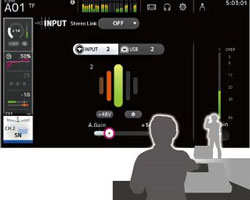 The input signal first passes the Gain stage, where you set the preamp input sensitivity. If the preamp is set incorrectly, not only does sound quality suffer but downstream parameters behave differently. Yamaha found a way to make this crucial base parameter easier than ever to set. The GainFinder function helps you perfectly set individual signal levels to achieve optimal signal quality. The user simply adjusts the channel gain until the green LED in the center of the level meter stays lit as long as possible. Of course, the meters also work in the traditional way if you prefer to set preamps the old-fashioned way.
Practical Presets and Scenes for a Perfect Starting Point Toward Great Sound
The proven scene database from other Yamaha consoles, which lets you save and recall complete mixer setups, has been adopted for the TF series. In cooperation with leading microphone manufacturers and renowned engineers, Yamaha created many channel presets so you always start from an ideal position on the way to a great sound. Channel presets include parameters for the HA, EQ and Dynamics modules and also details like channel names and colors. That means less time on base settings and more time for fine-tuning the mix and communicating with artists.
Pro Sound: the QuickPro Presets
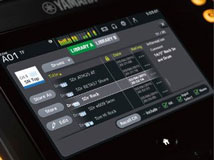 After intensive collaboration with top engineers and microphone makers such as Audio-Technica, Sennheiser and Shure, and extensive tests with many microphones, instruments, speakers and in-ear monitor systems, Yamaha's developers focused on creating typical starting points suited for many event types. With these practical presets even beginners can get very close to an ideal sound, while experienced techs will appreciate that sensible starting points reduce the need for adjustment and free up time for other tasks. The QuickPro Presets are sorted by instrument type and can be recalled instantly. Presets store parameters for the HA, EQ and Comp modules and other settings like channel naming and color. The 1-Knob processors are included in the QuickPro presets, making sound setup even faster and easier. The output channel library contains parameter sets optimized for Yamaha active speakers, with variations for different environments and room sizes. Presets for in-ear monitors are also included. All these settings can be used immediately when time is tight or serve as excellent starting points for manual fine-tuning. User settings can, of course, be saved to additional memory slots.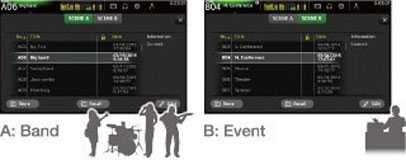
Two Banks Full of Mixing Scenes
The scene memory consists of banks A and B, each capable of holding up to 100 scenes — a total of 200 scenes you can set up and recall at any time. Many scenes are preprogrammed to give users a head start: there are scenes with 1-Knob COMP and 1-Knob EQ optimized for ease of use, and scenes for experienced engineers who prefer the traditional approach with the 1-Knob functions disabled. The two banks are great for organizing different scene types — for example, one bank could hold music scenes and the other event-specific scenes.
Outstanding Feel, Grip and Readability
Outside the chassis the TF series is packed with features that make working more comfortable and easier. The faders, knobs and buttons provide excellent grip and tactile feedback and work seamlessly with the sharp, fast-reacting next-generation touch panel. Channel names and color indicators are highly readable, and the physical layout contributes significantly to the system's highly efficient workflow.
Efficient Workflow Thanks to Optimized Surface Layout
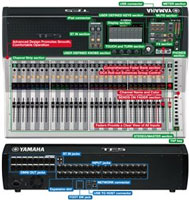 A careful analysis of workflows preferred by many renowned engineers resulted in a perfectly optimized control layout that enables highly efficient working. The TF series doesn't just cram a long list of modern features into the desk; you'll only find functions that actually make sense. Thanks to a design trimmed for visibility and usability down to the smallest detail, controls are logically arranged and always within reach.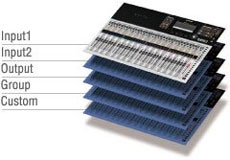
Comprehensive Fader Bank Section
There are two "INPUT" banks and one "OUTPUT" bank. By pressing both "INPUT" bank buttons simultaneously you can activate a "GROUP" bank. Here several channel faders belonging to a group can be controlled by a single DCA fader. There's also a "CUSTOM" fader bank where you can assign any input, output or DCA group to any fader.
DCA "Roll-out" Function Simplifies Access to Individual Group Channels
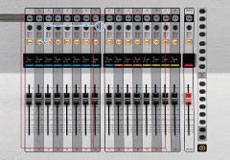 When the "GROUP" fader bank is selected, all faders except the DCA masters 1–8 act as so-called "roll-out" faders. That means when you select a DCA group, the input channels belonging to that group are rolled out to their own fader set. This function allows quick access to levels and other parameters of individual group channels while the eight DCA faders can be used for the overall mix.
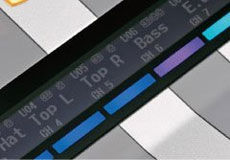 Channel Naming and Color
A display above each channel fader shows the assigned channel name or ID, the connector name and the current fader position. Phantom power status and compressor/gate activity can also be displayed. A color bar indicating the channel's assigned color makes navigation easy and prevents mistakes when scenes are recalled or fader banks switched.
Faders Provide a Clear View and Direct Access to All Inputs
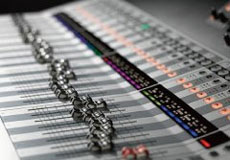 The TF5 has 33 motorized faders, the TF3 25 and the TF1 17. All inputs on the rear panel have their own fader, so their settings can be seen at a glance and accessed directly at any time.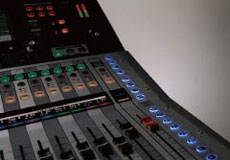
SENDS ON FADER section
The "SENDS ON FADER" buttons assign the faders to AUX or FX bus levels so those levels can be comfortably viewed and adjusted. When "SENDS ON FADER" is active, the main fader acts as the bus master for the selected bus. AUX levels can therefore be checked and adjusted without changing fader banks.
Upper Console Area and Ergonomics
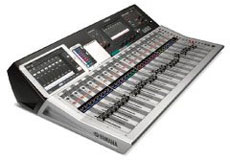 The upper part of the console surface is shaped to serve as a resting place for an iPad, set lists, notepads or other small items. The control surface consists of three cleverly angled sections to maximize overview and ensure perfect access to all controls.
More Features for an Efficient Workflow
Frequently used parameters like compressor threshold or EQ gain can be assigned to these knobs and are therefore always at hand.
Assign mixer settings you use often to one of the quick-access buttons for immediate recall, such as directly recalling individual scenes.
You can mute or unmute multiple inputs or effects at once.
A dedicated channel provides functions like "Effect ON/OFF", "CUE-Monitor ON/OFF", level adjustment and effect parameter control.
You can play back digitally from an iPad or iPhone and record/playback with a USB storage device, giving fingertip access to background music and other audio files.
Apps That Integrate Seamlessly with the TF System
Standalone software applications that support mixing over WLAN, personal monitor mixes or offline setup of digital live consoles are commonplace today. The TF series offers three tailored apps: "TF Editor", "TF StageMix" and "Monitor Mix", which extend the console's interface across various platforms.
"TF Editor" Enables Offline Editing and Real-Time Control
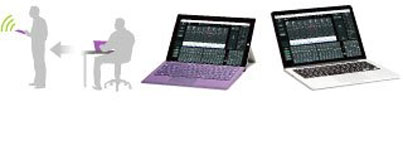 The "TF Editor" software for Windows and Mac provides a full interface for offline setup and editing of the console. Presets and scenes can be managed and channel names entered easily via the virtual keyboard. "TF Editor" also works online, simultaneously with "TF StageMix" and "Monitor Mix". The gestures used on the console display work with the touchscreen of a Windows 8 PC as well. A PC can be used as a convenient remote control of the mixer over WLAN. Up to three devices running "TF Editor" or "TF StageMix" can be used simultaneously.
TF StageMix for Wireless Mixing
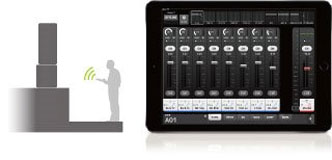 "TF StageMix" is an iPad app that turns the tablet into a wireless controller for the TF series. You can mix remotely from the audience area, standing in front of the stage monitors or from any other listening position. The app can also extend the console's interface. StageMix operates as smoothly as the console, enabling fine-tuning from anywhere in the venue.
Artist-Controlled Monitor Mixes with MonitorMix
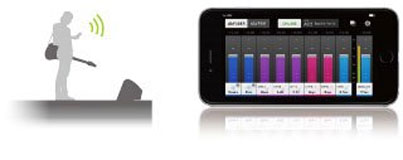 The MonitorMix app for the TF series allows independent AUX monitor mixes from up to ten Apple devices (iPad, iPhone, iPod Touch) simultaneously. Each performer has comprehensive control over their assigned aux sends without dealing with complex settings. Group presets simplify operation further — for example, you can assign all levels of a monitor mix to a single fader. Up to three devices with "TF Editor" or StageMix and up to 10 devices with MonitorMix can be connected at once, enabling artists in large bands to control their own monitor mixes and greatly reducing the load on the mixing engineer.
A Natural Sonic Foundation and Extra Creative Freedom
Faithful reproduction of the stage sound forms the foundation, and creativity comes after that. Yamaha's uncompromising approach to live sound continues with the TF series. For example, the input stage of a console has a noticeable effect on its sonic character. TF consoles are equipped with D-PRE microphone preamps that deliver excellent sound quality and whose settings can be stored and recalled. Circuits and modules were refined where possible to achieve an exceptionally pure, natural sound. This clean sonic basis can then be processed with numerous top processors and effects. The EQs, compressors and gates on inputs and outputs are complemented by eight additional processors that provide plenty of room for creative sound design.

Recallable D-PRE Microphone Preamps
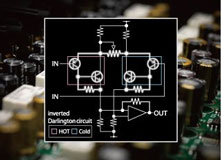 The TF series consoles feature new versions of Yamaha's popular D-PRE microphone preamps. Because preamps have a significant influence on the final sound, Yamaha's engineers spared no effort in developing and refining these preamps to ensure no nuance of the original signal is lost. The preamp is based on a discrete inverted Darlington pair circuit design, providing clear, precise gain with consistently low noise and distortion across all levels. While some mic preamps intentionally impart color, the D-PRE preamps were painstakingly tuned for a very neutral sound and wide frequency response so the artist's character and every detail of their performance are preserved.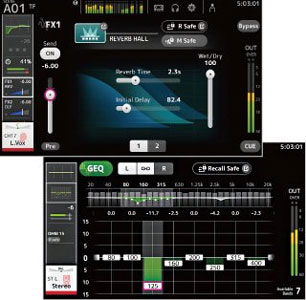
Powerful Processors and Effects
In addition to an EQ and two dynamics processors in every channel, the TF series offers eight more powerful processors and effects for comprehensive signal processing. FX modules 1 and 2 are technically equivalent to Yamaha's renowned SPX processors, long standard tools for live and studio work. The 17 programs range from reverbs and delays to modulation effects like flanger and chorus and even 3-band multiband compression. Press EDIT to open the effect parameter view and access parameters such as Reverb Time or Delay Feedback. The remaining six processors are available on output channels AUX 9/10 through 19/20. They include all effects except reverb.* Multiband compression is ideal for level control in in-ear monitoring, while delay can be used for speaker delay alignment. Because aux buses can be routed to the stereo mix, effects can also be used for input-channel processing if FX 1 and 2 are not enough.The AUX 1–8 and main outputs share the same parametric 4-band EQ as the inputs, plus an additional 31-band Flex12 graphic EQ. Both EQ types are essential for speaker tuning and feedback suppression. *Reverb is available for AUX 9/10 and AUX 11/12.
Versatile Live Recording and Playback for Any Application
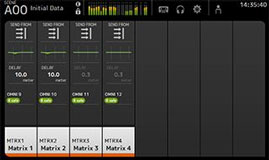 The ability to record live is increasingly important in live systems. The TF series supports simple 2-track recording/playback via USB storage as well as multi-track recording with a computer-based DAW. The console ships with Steinberg's Cubase AI, enabling up to 16 tracks to be recorded to a computer connected via USB 2.0 with minimal effort. For more complex recordings, Steinberg's Nuendo Live (optional) allows simultaneous recording of up to 34 tracks. USB storage devices can play MP3 and WAV files. iPhones and iPads can be connected digitally for audio playback. When playing from a DAW, you can select either the analog or DAW input per channel, allowing prepared audio material to be mixed with live inputs for virtual soundchecks or rehearsals. Background music and sound effects can of course also be played back.
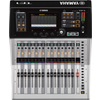
The TF1 offers impressive performance and versatility for smaller rigs; it's compact, portable and rack-mountable!
Features
- 17 motorized faders (16 channels + 1 master)
- 40 input channels (32 mono + 2 stereo + 2 returns)
- 20 aux buses (8 mono + 6 stereo) + stereo + subgroups
- 8 DCA groups with roll-out function
- 16 analog XLR/TRS combo inputs for mic or line signals + 2 analog stereo line inputs via RCA connectors
- 16 analog XLR outputs
- 34 x 34 digital recording and playback channels via USB 2.0 + 2 x 2 via USB storage
- 8 effects and 10 graphic equalizers
- 1 expansion slot for an NY63-D audio interface card
- Touch control
- "Touch & Turn" knobs
- Proven "Overview" and "Selected Channel" views
- "1-Knob COMP" & "1-Knob EQ"
- GainFinder function
- QuickPro presets
- TF StageMix for wireless mixing
- Artist-controlled monitor mixes via MonitorMix
- Recallable D-PRE microphone preamps
- Internal Dan Dugan automixer card
- Includes Steinberg's Nuendo Live recording software
- Sampling rate: 48 kHz
- Latency: <2.6 ms, INPUT to OMNI OUT, Fs=48 kHz
- THD: <0.05% 20 Hz–20 kHz @+4 dBu into 600 Ω, INPUT to OMNI OUT, Input Gain=Min.
- Dynamic range: 110 dB typ., DA converter; 107 dB typ., INPUT to OMNI OUT, Input Gain=Min.
- Dimensions (W x D x H): 510 x 599 x 225 mm
- Weight: 13.5 kg
Scope of delivery
- 1 x Yamaha TF-1 Digital Mixer
Specification
- Product number 00052025
- Colour Silver
- Labelable channel strip Yes
- Number of microphone inputs 16
- Outputs RJ45 Netzwerkbuchse, USB, XLR
- WiFi Yes
- Inputs 6.3mm Klinke, Cinch / RCA, RJ45 Netzwerkbuchse, USB, XLR
- Expansion Slot Yes
B-Stock Bargains.
This product is also available in the following condition:
Write the first review
Share your experience and help others with their purchase decision. Review the product directly from the order history in your customer account.
Review nowQuestions about product
No questions have yet been asked about this article.
Financing with ConsorsFinanz
You can finance your order in convenient monthly installments from a value of €100.00.
- 6 to 72 months term
- 0% financing for 239,83 € per month
easyCredit instalment purchase
You can pay the purchase amount conveniently in installments. You will see immediately whether your application has been approved.
- 2 to 60 months term
- Financing from 65,00 € / month