

Soundswitch Micro DMX Interface - DMX Lighting Control for DJs!
SoundSwitch is the world’s leading lighting control solution. It allows users to create lightshows and scenes that automatically sync with audio files when played live in DJ software. Users can be as creative as they want in the Digital Lighting Workstation (DLW), or let the software handle the work with automation features and pre-made light scenes.
With SoundSwitch, DJs and lighting designers can seamlessly sync light visualizations with live audio, sent to the lighting array via SoundSwitch hardware or third-party supported interfaces. More creative possibilities and enhanced performance are possible with SoundSwitch for both DJs and lighting technicians alike.
The SoundSwitch Micro DMX Interface gives you the simplest access to your entire DMX lighting setup with a single USB-to-DMX connection. It comes with 3 months of free access to the SoundSwitch software right from the start. So you can jump right in and create automatic as well as custom lightshows with beatgrids compatible with Serato DJ, Virtual DJ, and Engine Prime.
Edit Mode - Digital Lighting Workstation Designed Especially for DJs
SoundSwitch’s edit mode enables automated sequences and detailed adjustments of preset light scenes, as well as creating your own light visualizations in the DLW (Digital Lighting Workstation). The workflow and user interface resemble audio editing software familiar to DJs from music production, providing a comfortable and intuitive experience.
Create Custom Lightshows
SoundSwitch allows full customization and control of your lighting. Users can control all functions of their lighting hardware, including color, brightness, strobe, movement, gobos, prism, and more.
AutoScripting - Automatic Lightshow Creation
Batch analysis of audio files, playlists, collections, and crates enables automatic lightshow creation.
Autoloops - Automatic Lightshows Synced with DJ Software
The Autoloops feature automatically syncs light scenes with audio files during DJ performances for tracks without pre-made lightshows. The software includes 32 pre-made autoloops, all customizable and perfectly beat-matched.
Static Looks - Light Scenes
Static looks offer users an easy way to create light scenes. These static scenes are perfect for speeches or atmospheric dinner parties, for example. Static looks can also be assigned via MIDI for touch control.
Support for Leading DJ Software and Hardware
SoundSwitch connects with the following DJ software and hardware, ensuring precise, synchronized timing of lightshows during DJ performances.
- Engine Prime StagelinQ: Prime 4, SC5000/M, X1800
- Serato DJ Pro
- Virtual DJ
- Ableton LINK
Standalone Mode
In standalone mode, SoundSwitch users can control lighting effects for other DJs and performers such as bands and live acts.
Editable Presets and Effects
SoundSwitch includes a range of presets and effects that users can edit as they wish to save time and effort.
MIDI Map Lighting Effects
The software features MIDI mapping functions allowing users to assign and control lighting effects with any standard controller, mixer, or MIDI device.
Support for Multiple Universes
SoundSwitch supports two DMX universes with 1024 DMX channels, enabling control of both small and professional lighting setups.
SoundSwitch is a fantastic tool for lighting technicians, mobile DJs, club DJs, tour DJs, and DJs performing alongside singers and MCs.
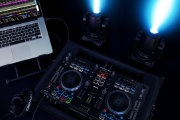
SoundSwitch Presents the New Software Version 2.2!
This update makes it easier than ever for DJs to sync exciting lighting effects with the most dramatic parts of their music, thanks to the brand-new phrase detection algorithm that automatically recognizes song features and music sections. This update also brings a major AutoScripting upgrade, a redesigned user interface, new hardware support, and numerous improvements in usability and stability.
Here are the highlights of software version 2.2:
Advanced Lighting Automation
SoundSwitch’s already impressive AutoScripting feature receives a significant upgrade with speed improvements and individual lighting fixture assignments. The DMX universe menu now offers primary, secondary, and tertiary wash and spot fixture assignments, as well as strobe/blinder assignments. This new advanced lighting automation with individual fixture assignments creates professional and immersive lightshows in seconds.
Automated Phrase Detection
This exciting new feature automatically detects larger music sections, including intros and outros, main sections one and two, as well as breakdowns and bridge sections. Additionally, the automated phrase detection can identify unique music features within these sections, such as drops, breakdowns, and build-ups. Previously, this was exclusively a manual process, but with version 2.2, everything is automated and easier than ever!
Redesigned User Interface
With version 2.2, users experience a more modern and streamlined workspace. The new interface offers quick access to the automation button, and a new window for automation settings, including presets and advanced options, allows fully customized AutoScript lightshows.
Support for New DJ Hardware
SoundSwitch v2.2 is now compatible with the latest standalone products from Denon DJ: SC6000, SC6000M, X1850, PRIME 2, and PRIME GO. A new option for Engine OS has been added in the settings page, allowing users to choose between players + mixer or all-in-one setups.
Additionally, v2.2 offers the following notable improvements:
- Venues can be duplicated (lighting fixture data only)
- Beat grids can be cleared, doubled, and halved
- Copy and paste between venues (single tracks only)
- Numerous stability optimizations and improvements
Discover the Power of SoundSwitch with the Micro DMX Interface
With SoundSwitch, DJs and lighting designers can seamlessly sync light visualizations with live audio, sent via SoundSwitch hardware or third-party supported interfaces to the lighting array. More creative possibilities and enhanced performance are possible with SoundSwitch for both DJs and lighting technicians alike.
Seamless Synchronization of DJ Software and Lighting!
Features
- Automatic lightshows synced to beatgrids
- Compatible with Serato DJ, Virtual DJ, and Engine Prime
- Ableton LINK
- AutoScripting for automatic lightshow generation
- MIDI mapping and control of lighting effects
- Interface for SoundSwitch software
- Connects lighting hardware directly to the computer via USB
- USB to DMX XLR connection
- Blue LED indicator for connection status
- Compact, portable design
- 3 months free software access - New software version 2.2!
Technical Data
- Type: USB to DMX (3-Pin) connection
- Power supply: USB powered
- Refresh rate: 37 Hz
- DMX universe: 1
- Dimensions: 12.3 x 1.8 x 1.8 cm
- Weight: 0.1 kg
Scope of delivery
- 1 x Soundswitch Micro DMX Interface
Specification
- Product number 00063155
- Colour Black
Reviews
| 5 Stars |
|
0 |
| 4 Stars |
|
1 |
| 3 Stars |
|
1 |
| 2 Stars |
|
0 |
| 1 Star |
|
0 |
A verification of the ratings has taken place as follows: Only customers who are registered in our online store and have actually purchased the product from us can submit a rating for the item in the customer account.

This rating has been translated automatically. Original language

Variant SoundSwitch Control One - Professional Lighting Controller
This rating has been translated automatically. Original language
Rubberized on the sides, that's really unfortunate. With or without plasticizer, rubber gets really nasty over time. I'm curious to see when it will start here, at the latest then the device will just be electronic waste.
But it's really very helpful for manual intervention in the light shows. The touch strip reacts very insensitively, which has really bothered me so far.
Questions about product
No questions have yet been asked about this article.