

Our specialists from the Live & Studio department are looking forward to your call.

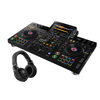
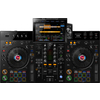
The 2-Channel All-in-One Performance DJ System!
The XDJ-RX3 offers flexibility and functionality with a host of features directly borrowed from the club standard multiplayer CDJ-3000 and mixer DJM-900NXS2. With the brand-new 10.1-inch touchscreen (25.7 cm), you can intuitively browse playlists, mix tracks, and apply effects. On top of that, the updated design of the XDJ-RX3 gives your setup a professional look.
The Pioneer XDJ-RX bridges the gap between CDJ and controller. This standalone, laptop-independent flagship for professional DJs is highly connectable and intuitive despite its versatility. rekordbox provides a top-tier tool for preparing tracks and playlists. The price and quality make this controller very attractive, especially for smaller clubs and bars.

10.1-Inch Touchscreen with New User Interface
The 10.1-inch touchscreen (25.7 cm) is the largest ever on a Pioneer DJ all-in-one system. It features high resolution and frame rate, so you see everything clearly, sharply, and smoothly—including the waveforms. Additionally, a fresh GUI design and a variety of new functions make navigation easier, browsing faster, and mixing more precise. For example, you can tap one of the icon stacks on the left side of the screen to instantly display relevant info for each track.
New Features: Countdown Timer, 3-Band, Beat FX Bank, X-Pad, Pad Status & Phrase Display
Countdown Timer
Set a timer to count down to a specific point in your set.
3-Band Waveform
See clearly how the music sounds: volume levels of low, mid, and high frequency ranges in rekordbox-analyzed tracks are shown in different colors.
Beat FX Bank
Save your 4 favorite effects in the Beat FX Bank and activate them anytime with a single tap.
X-Pad
Easily apply effects by swiping your finger from side to side.
Pad Status Display
Keep track of the performance pads’ mode at a glance.
Phrase Display
View the structure of each track: sections like intro, chorus, and bridge are shown according to rekordbox phrase analysis.


New Library Tools: Playlist Bank, Touch Preview & Load Buttons
Playlist Bank
Quickly access your 4 favorite playlists with a single tap.
Touch Preview
Listen to any part of a track without loading it onto the deck—just tap the waveform.
Number of Displayed Tracks
The number of tracks shown in the browser increased from 8 to 12, so you scroll less when searching for the next tune.
Load Buttons
Press the on-screen buttons to load tracks onto the decks or use the usual hardware buttons—whichever you prefer.
Release FX: Inject New Energy Into Your Performances
By hitting the performance pads in Release FX mode, you can instantly change the energy of your mix—whether you want to make a track section more dramatic or create an exciting moment before switching to another track on the other deck. Choose from 8 effect types: Vinyl Brake (short/long), Backspin (short/long), Echo Out, Build Up, Mute, and Ducking.
Color-On-Jog Display: Get a Visual Overview of Track Info
The LCD screen in the center of each jog wheel shows the playback position, and you can also display cover art to instantly see which track is loaded on the deck. Jog wheel response is significantly improved compared to the XDJ-RX2, and you can adjust the "weight" of each jog with the Feeling Adjust knob to suit your personal preference.


More Beat FX and Sound Color FX
The XDJ-RX3 includes all effects from the XDJ-RX2 plus 6 additional Beat FX and 2 extra Sound Color FX. This lets you play with the full effect palette of the DJM-900NXS2: 14 Beat FX including Ping Pong, Filter, Phaser, Slip Roll, Vinyl Brake, and Helix, plus 6 Sound Color FX including Space and Crush.
Additional Features of the XDJ-RX3
- USB Hardware Unlock Device: The XDJ-RX3 is a hardware unlock device, so you can use rekordbox’s Performance Mode for free.
- Natural Audio: Thanks to the new audio circuit on the main board, your audience experiences the music exactly as the artists intended.
- 2 Mic Inputs: The microphone input circuit delivers crystal-clear sound even at high input levels.
- 4 Aux and 2 Line/Phono Inputs: Play music from your smartphone or any device with a stereo mini-jack output via the AUX input on the XDJ-RX3. The two Line/Phono inputs let you connect CDJs, turntables, or any other audio source.
- 3 USB Ports: Perform back-to-back with another DJ—thanks to 3 USB inputs (2 on top for USB devices plus 1 laptop port), handovers are seamless.
- rekordbox Link Export: Play tracks directly from your laptop as if it were a USB drive using rekordbox Link Export mode.
- Gate Cue: Refine your pad technique with Gate Cue—the sound plays only while you press the pad. When you release it, the music stops immediately and silently returns to the cue point.
Overview of Individual Functions
MIC Section
Turns the microphone on/off and adjusts volume and EQ.
Touch Screen
The 25.7 cm touchscreen is the largest ever on a Pioneer DJ all-in-one system.
Rotary Selector
Turn to select a track and press to confirm.
Loop Section
Set the loop In/Out points during playback.
Slip Button
When Slip Mode is on, normal playback continues in the background (but is muted) while you perform functions like Slip Pause or Slip Scratch.
Quantize Button
When enabled, cue points, loop-in/out points, and hot cue points automatically snap to the nearest beat position, even if your timing is off.
DIRECTION (REV) Button
Lights up during reverse playback or slip reverse.
Memory Cue Section
Recalls all previously set cues and loops for the track.
JOG ADJUST
Adjusts the "weight" of the jog wheel.
BEAT FX Section
Select and apply one of 14 Beat FX.
Input Selector
Switches between signal input sources.
VINYL SPEED Adjust
Turns vinyl speed adjustment on and off.
JOG MODE (VINYL) Button
Sets the jog wheel mode.
BEAT SYNC Section
Automatically syncs tempo (BPM) and beatgrid with the deck set as master.
TEMPO Buttons
Adjust the variable range of the [TEMPO] slider between ±6/±10/±16/WIDE.
Sound Color FX Section
Selects and applies one of 6 sound color effects.
PAD MODE Buttons:
Switches the pad mode among 6 different modes.
Performance Pads
Trigger hot cues, pad FX, and more, controlling them depending on the selected pad FX mode.
Crossfader Curve Switch
Changes the curve of the crossfader.
Headphone Jack
Connect your headphones. The device supports 6.3 mm stereo jack and 3.5 mm stereo mini-jack plugs.


Overview of XDJ-RX3 Connections:
MASTER 1 Output (XLR Balanced)
Allows connection to analog input terminals of a power amplifier, active speaker, etc.
MASTER 2 Output (RCA)
For connection to analog input jacks on a power amplifier, etc.
BOOTH Terminals (1/4"/6.35 mm TRS)
For connecting a monitor speaker.
Kensington Lock
For securing a cable lock.
USB Port
For connecting a PC/Mac.
LINE Input (RCA)
For connecting multiplayer devices or other analog audio sources with "line" level.
PHONO Input (RCA)
For connecting an analog audio source with phono level and magnetic cartridge (MM).
AUX LINE Input
For connecting devices with analog "line" level.
AUX PORTABLE Input
For connecting analog audio sources like mobile devices.
Signal GND Terminal
For connecting the ground wire of a turntable. Reduces unwanted noise that can occur when connecting a turntable.
MIC 1, MIC 2 Inputs (XLR or 6.3 mm Jack)
For connecting one or more microphones.
Power Button
Turns the device on or puts it into standby mode.
AC Power Connector
Connects to a 220 V outlet using the supplied power cable.
Features
- Large Full-Color Display Clearly Shows All Info from Both Players
- 2 USB Ports Allow Recording Your Performance While Playing
- Works via rekordbox USB or the rekordbox App (No Laptop or CDs Required)
- Predefined Loops and rekordbox-Tagged Cues Can Be Triggered Instantly
- Professional DJ Features like Quantize, Beat Sync, Slip Mode, Beat Countdown, Key Analysis Display, and Active Loop
- Loop Slice Feature Triggered by Sensitive Pads
- Also Usable as a 2-Channel Standalone Mixer
- Includes rekordbox dj
- MIDI Control
- Sound Color FX: Space, Dub Echo, Sweep, Noise, Crush, Filter
- Beat FX: Delay, Echo, Ping Pong, Spiral, Reverb, Trans, Filter, Flanger, Phaser, Pitch, Slip Roll, Roll, Vinyl Brake, Helix
- Automatic Standby
- Playable Media: iPhone/iPod touch and Android Mobile Phones (from April 2015)
- USB Storage Media: (Flash/Hard Drive), Computer: Mac and Windows PC
- Supported Audio Formats: MP3, AAC, WAV, AIFF, FLAC
- Supported File Systems: FAT16, FAT32, HFS+
- Compatible DJ Software: rekordbox, Serato DJ Pro - From Early 2022
- Number of Channels: 2
- Mic EQ: 2-Band
- Mic Input: XLR / Jack Combo
- Inputs: 2 x LINE (RCA), 2 x PHONO (RCA), 2 x MIC (XLR & 1/4 inch TRS jack), 3.5 mm stereo jack to RCA, 1 x AUX (RCA)
- USB Inputs: 2 x USB Type A, 1 x USB Type B
- Outputs: 1 x MASTER (XLR), 1 x MASTER (RCA), 1 x BOOTH (6.3 mm jack), 1 x HEADPHONES (6.3 mm jack), 1 x HEADPHONES (3.5 mm stereo mini jack)
- Frequency Range: 20 - 20,000 Hz
- Sampling Rate: 44.1 kHz
- A/D, D/A Converter: 24 bit
- Signal-to-Noise Ratio: 110 dB USB
- Distortion: <0.003% (USB)
- Power Supply: AC 100-240 V, 50 Hz / 60 Hz
- Dimensions (W x H x D): 728.1 mm x 118.4 mm x 469.5 mm
- Weight: 9.3 kg
Scope of delivery
- 1 x Pioneer DJ XDJ-RX3 - All-in-One rekordbox DJ System in Black
- 1 x Software License for rekordbox DJ
- 1 x Power Cable
- 1 x USB Cable
- Quick Start Guide
Suitable accessories (Not included in the delivery.)
- Pronomic DM-58 Vocal Microphone with Switch SET incl. 5m XLR cable
- Pronomic EUIEC-3 IEC Power Cable 3m
- Gravity KS RD 1 / KSD-400Pro MK II / LS-110 DJ Table Set
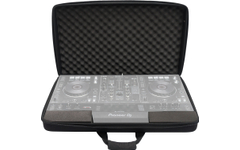
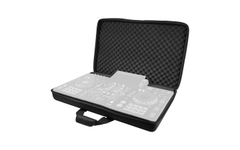
- Pioneer DJ DJC-RX3 BAG Softcase
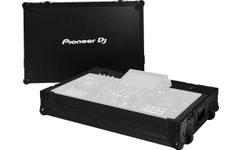
- Pioneer DJ FLT-XDJRX3 Flight Case
- Decksaver Pioneer DJ XDJ-RX3
- Magma DJ Controller Case XDJ-RX3/RX2
- Magma CTRL Case XDJ-RX3/ RX2
- Magma FLXGuard DJ Controller Trolley
Specification
- Product number 00082079
- Colour Black
- Number of channels 2
- Standalone Yes




B-Stock Bargains.
This product is also available in the following condition:
Reviews
| 5 Stars |
|
3 |
| 4 Stars |
|
0 |
| 3 Stars |
|
0 |
| 2 Stars |
|
0 |
| 1 Star |
|
0 |
A verification of the ratings has taken place as follows: Only customers who are registered in our online store and have actually purchased the product from us can submit a rating for the item in the customer account.
This rating has been translated automatically. Original language

This rating has been translated automatically. Original language
So many creative possibilities with which you can really refine his set.
Top purchase recommendation!
This rating has been translated automatically. Original language
Questions about product
No questions have yet been asked about this article.
Financing with ConsorsFinanz
You can finance your order in convenient monthly installments from a value of €100.00.
- 6 to 72 months term
- 0% financing for 160,91 € per month
easyCredit instalment purchase
You can pay the purchase amount conveniently in installments. You will see immediately whether your application has been approved.
- 2 to 60 months term
- Financing from 43,50 € / month